Network Automation with Python
🖧 What it is:
Automating Cisco IOS device management with Python and Netmiko over SSH, instead of configuring every device manually through the console. Built and demonstrated on a GNS3 2.2 lab.
❓ Problem & solution:
Managing network devices manually through the console is slow and error-prone, especially when the same configuration (such as VLANs) must be applied across several devices. The solution is a small set of Python scripts that connect over SSH and run the tasks automatically from a single source of truth: connectivity test, configuration backup, bulk configuration, and health reporting.
🗺️ Lab architecture:
• R1, R2 — Cisco c3725 routers (IOS 12.4(15)T14)
• SW1 — Layer-2 switch: c3725 with an NM-16ESW module (16 ports)
• Management network 192.168.56.0/24 (host-only) and lab network 10.10.10.0/24
• Python runs on Windows and reaches the devices through an SSH tunnel via the GNS3 VM
📜 Scripts:
• test_connection.py — opens an SSH session to each device, enters enable mode, confirms reachability
• backup_configs.py — saves each device's running-config to a timestamped file
• health_report.py — collects version, uptime, CPU and active-interface count, then generates a Markdown report
• bulk_vlan_config.py — applies the VLAN list to every switch in a single pass (supports --dry-run and --save)
🧰 Tech stack:
• Language — Python 3.10
• Automation — Netmiko 4.7 (SSH), Paramiko
• Inventory — PyYAML (devices.yaml, one definition per device; git-ignored because it holds credentials)
• Emulation — GNS3 2.2, Dynamips, VirtualBox
Technical Stack
GNS3 topology (live capture)
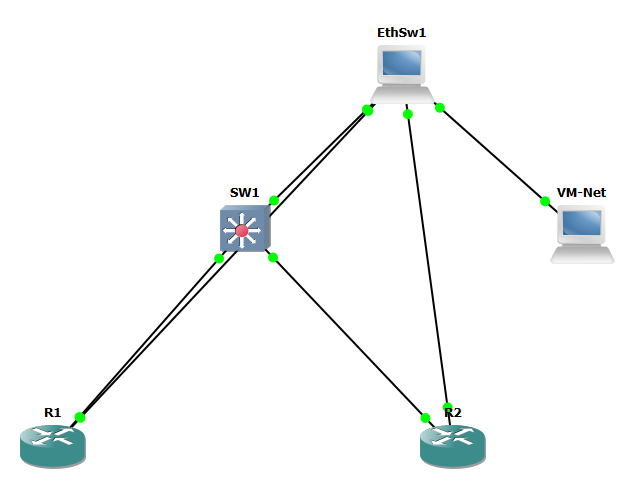
The actual GNS3 canvas — R1, R2 and SW1 with green links, meaning the devices are running and connected. This is the emulated network the scripts drive.
Logical diagram
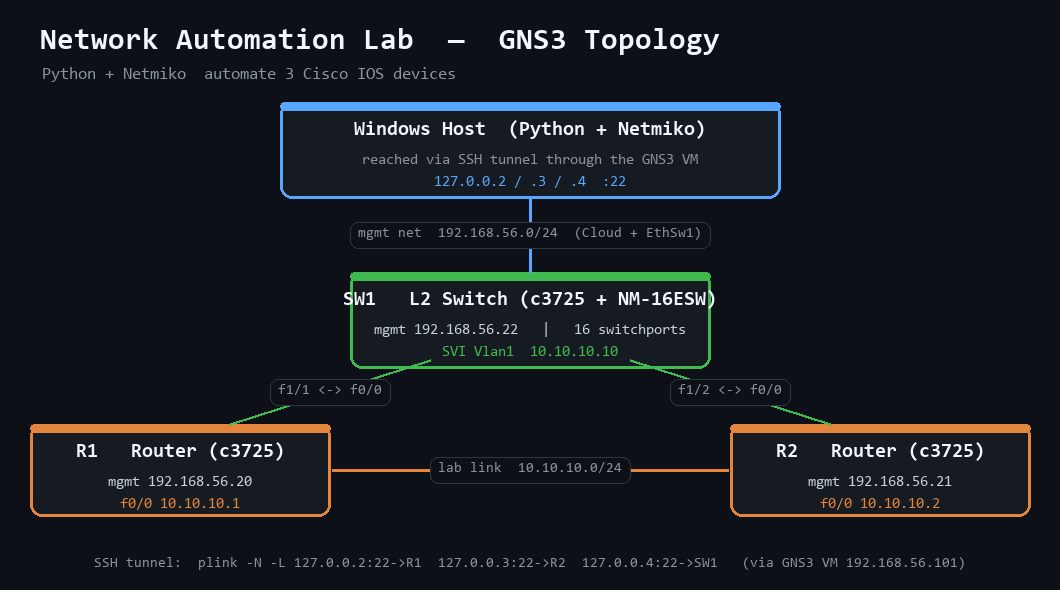
The addressing and access path: two c3725 routers and a Layer-2 switch, a host-only management network (192.168.56.0/24) and the lab network (10.10.10.0/24), with Python reaching the devices through an SSH tunnel via the GNS3 VM.
Live demo
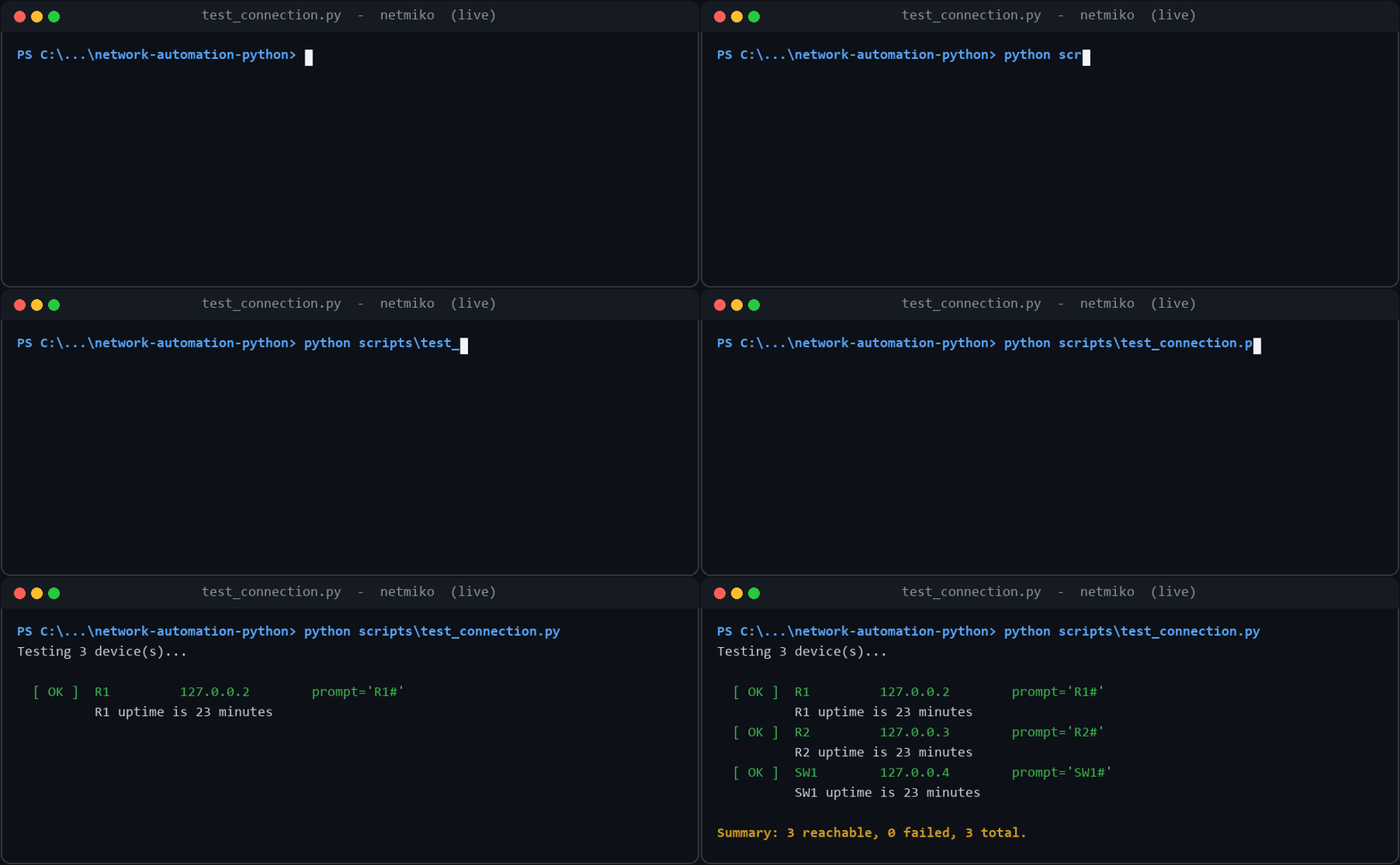
A short capture of Netmiko connecting to R1, R2 and SW1 and running the automation end-to-end.
Connectivity check
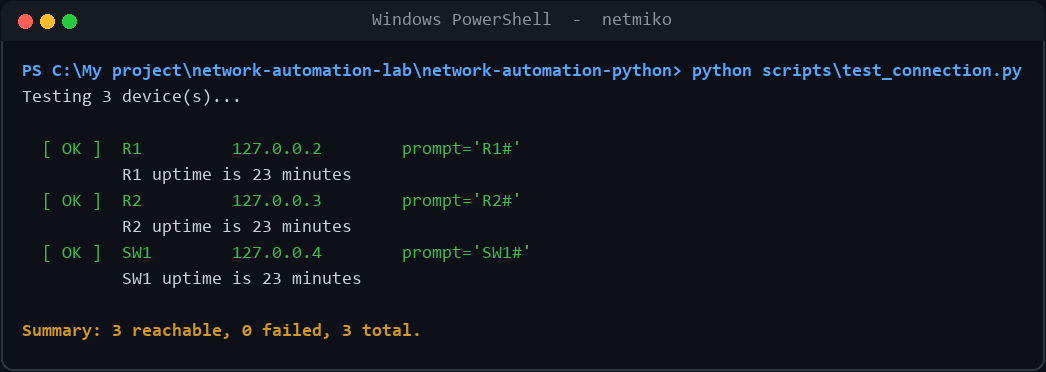
test_connection.py opens an SSH session to each device, enters enable mode and confirms reachability — the first thing to run before any automation.
Automated backup
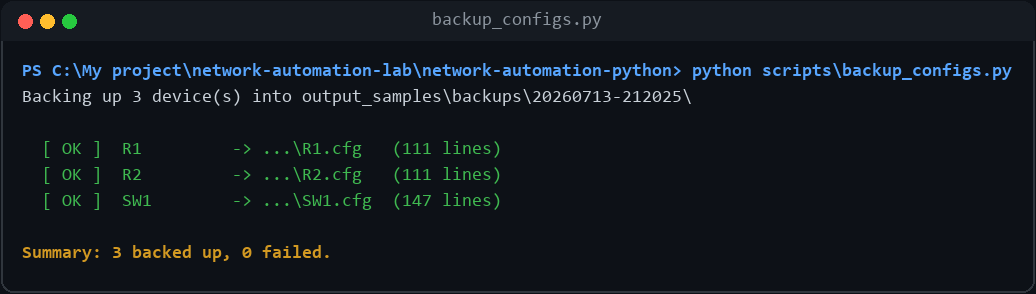
backup_configs.py saves each device's running-config to a timestamped file under output_samples/backups/, giving a dated archive of every device.
Network health report
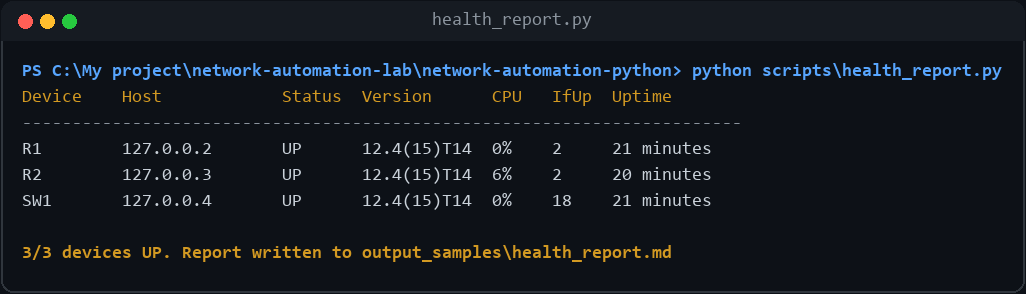
health_report.py collects version, uptime, CPU and active-interface count from every device and generates a tidy Markdown report.
Live device output
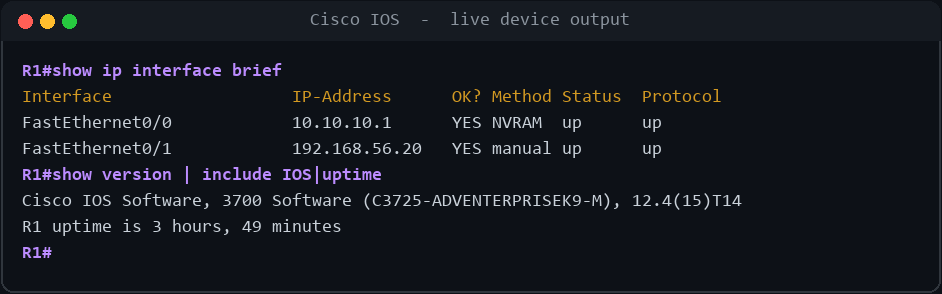
A Netmiko session from Windows returning real IOS output — the automation is talking to the actual emulated devices, not mock data.